Conditional actions
Until now we have seen how we can create a story through scene creation and connection. Now we will delve further into the possibilities available to you as a creator to make your story more dynamic.
Conditional actions is a tool available to the user on the action scene creation panel.
Here we take the same story path as in the last chapter and we create additional scenes to further enrich the story:
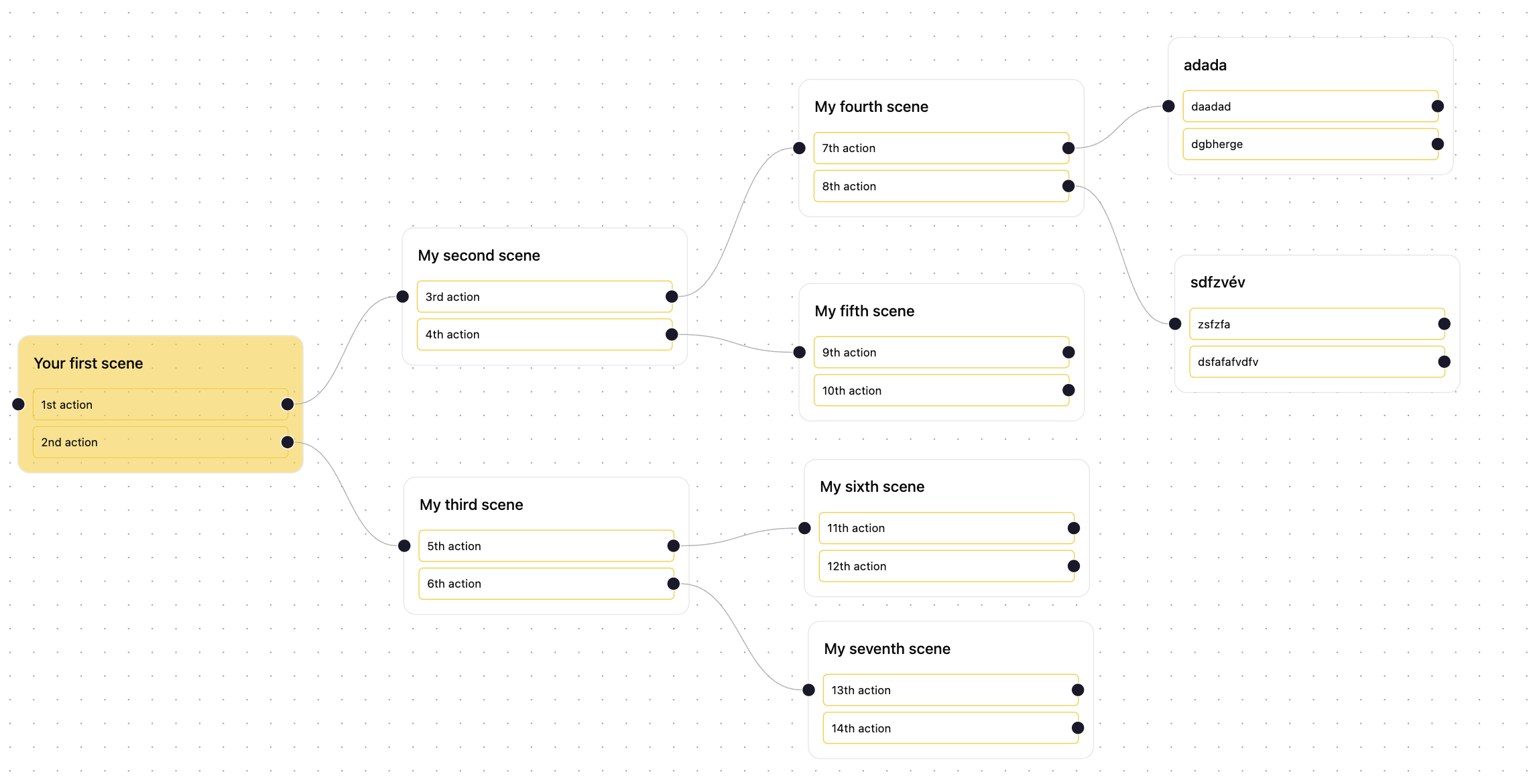
Now that we have a more furnished story path we can see that each scene has two actions that develop the story further. It is important to note that you can create more actions you are not limited to 2.
The feature I would like you to focus on here is linked to the little gear logo you have next to an action on the action tab of the scene creation panel. Let's say that I want to create a conditional action in my fourth scene on the seventh action:
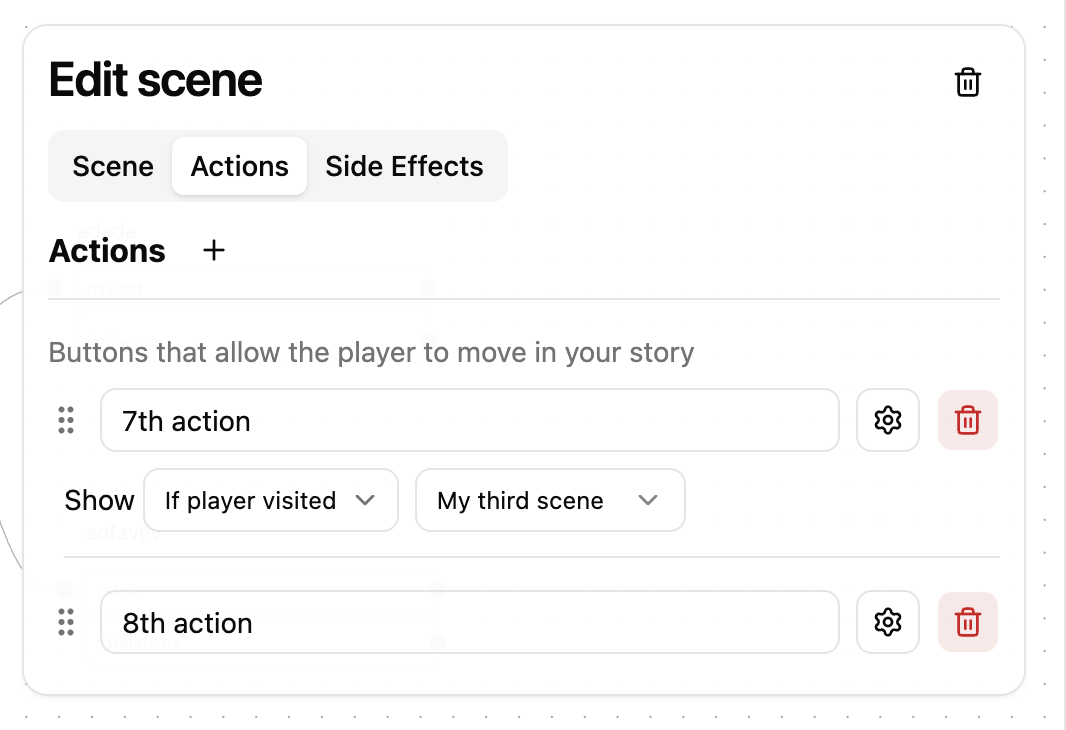
As you can see in the image above I have configured the seventh action to be displayed to the player only if they have reached the third scene, which by the design path of the story should not be possible as you can see in the first image of this page. Nonetheless if we still try and play it in the library:



As you can see the seventh action is hidden by question marks and you can't click it because you haven't visited said third scene.
On the opposite if I change the conditional action and set it as "If player did not visit" my third scene.
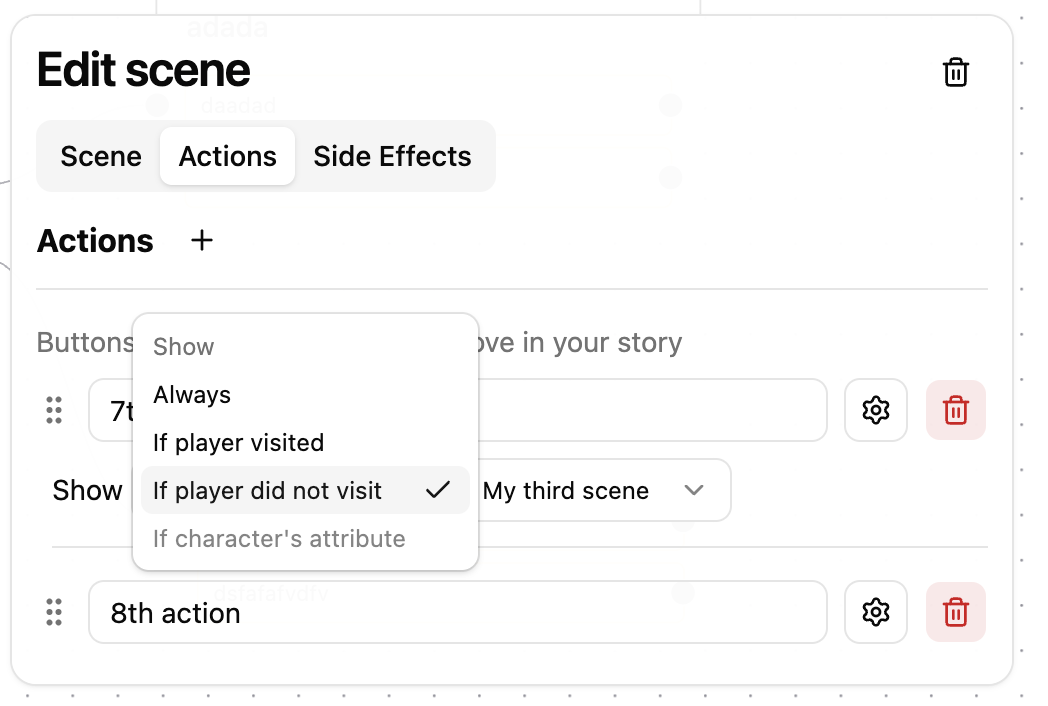
The seventh scene appears because we have in fact not visited the third scene:

You can build a really dynamic story path by granting access or not to certain scenes which creates "conditions" for the player to further explore the story to reach hidden scenes or reach the end.